A budget planner that works in paydays, not months.
Tell Planaroo when you get paid and what comes out. It works out what each pay has to cover, what to put aside for rego and rates, and what's left for you.
Pay once, no subscription. Works on iPhone, Android and computers. No bank login. Already bought it? Open the budget tool.
Your pay is fortnightly. Your bills aren't.
Rent goes out weekly, the phone monthly, power every quarter and rego once a year. Nobody can add that up in their head on payday, so most of us guess, and the big bills catch us out.
Planaroo converts every cost into the same unit as your pay. Type each one in the way you pay it, and it shows you one number per pay.
| What you pay | Each fortnight |
|---|---|
| Rent$470 a week | $940.00 |
| Phone$45 a month | $20.77 |
| Power$480 a quarter | $73.85 |
| Rego and CTP$850 a year | $32.69 |
| Put aside each pay | $1,067.31 |
What do you actually take home each pay?
Try the same tax maths the app uses to set up your pay: the ATO's 2026-27 resident tax rates, the low income tax offset and the Medicare levy.
An estimate for an Australian resident single. It leaves out HELP repayments, the Medicare levy surcharge, salary sacrifice and deductions. Tax rates from ato.gov.au for 2026-27; the Medicare low-income thresholds are the latest published (2025-26).
Plan where it goes, $19What's inside
These are the real screens, filled with the demo's example numbers. The demo is the full app; it just doesn't save.
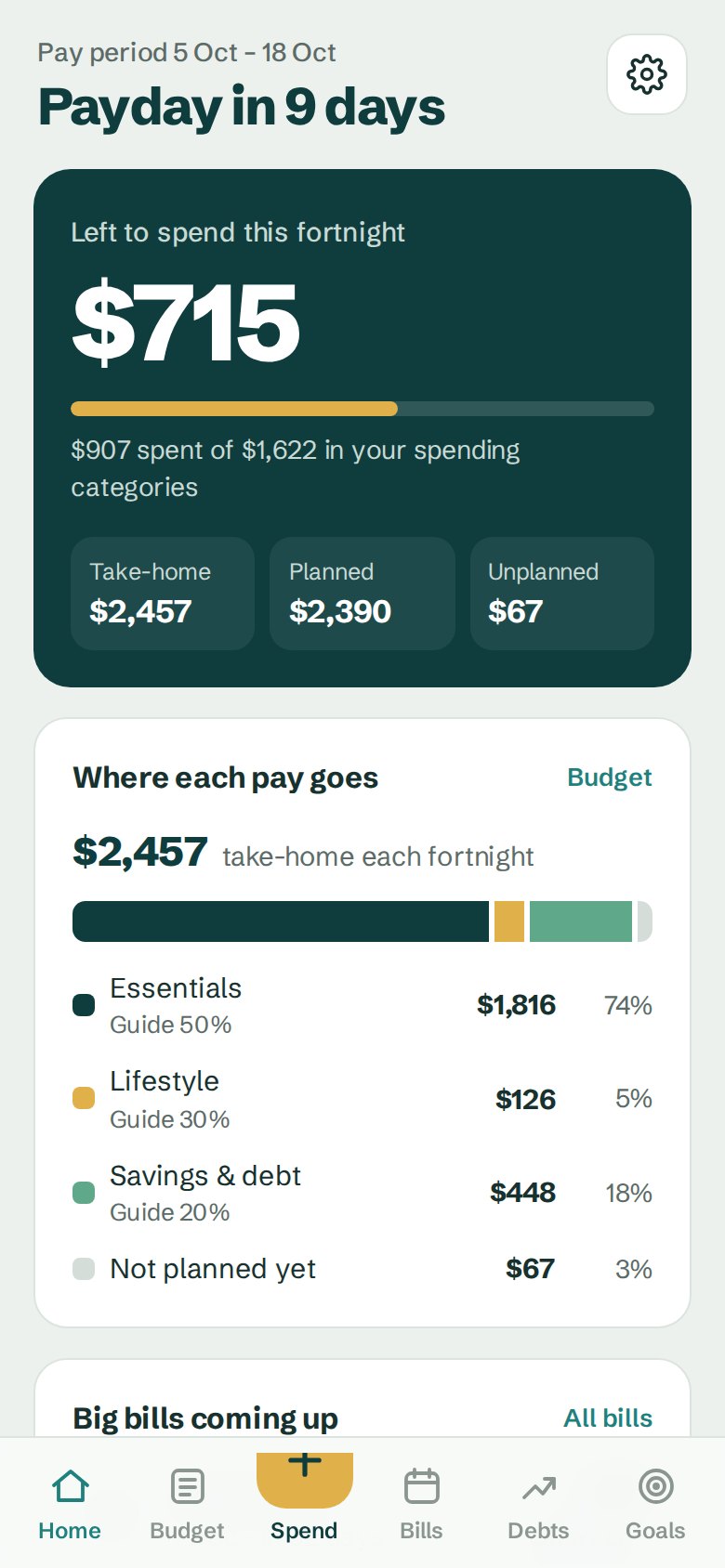
What's left this pay
Open it on payday and the top number is what you can still spend before the next one.
- Spent and left in your spending categories
- How your take-home splits up
- Bills coming up and your debt-free date
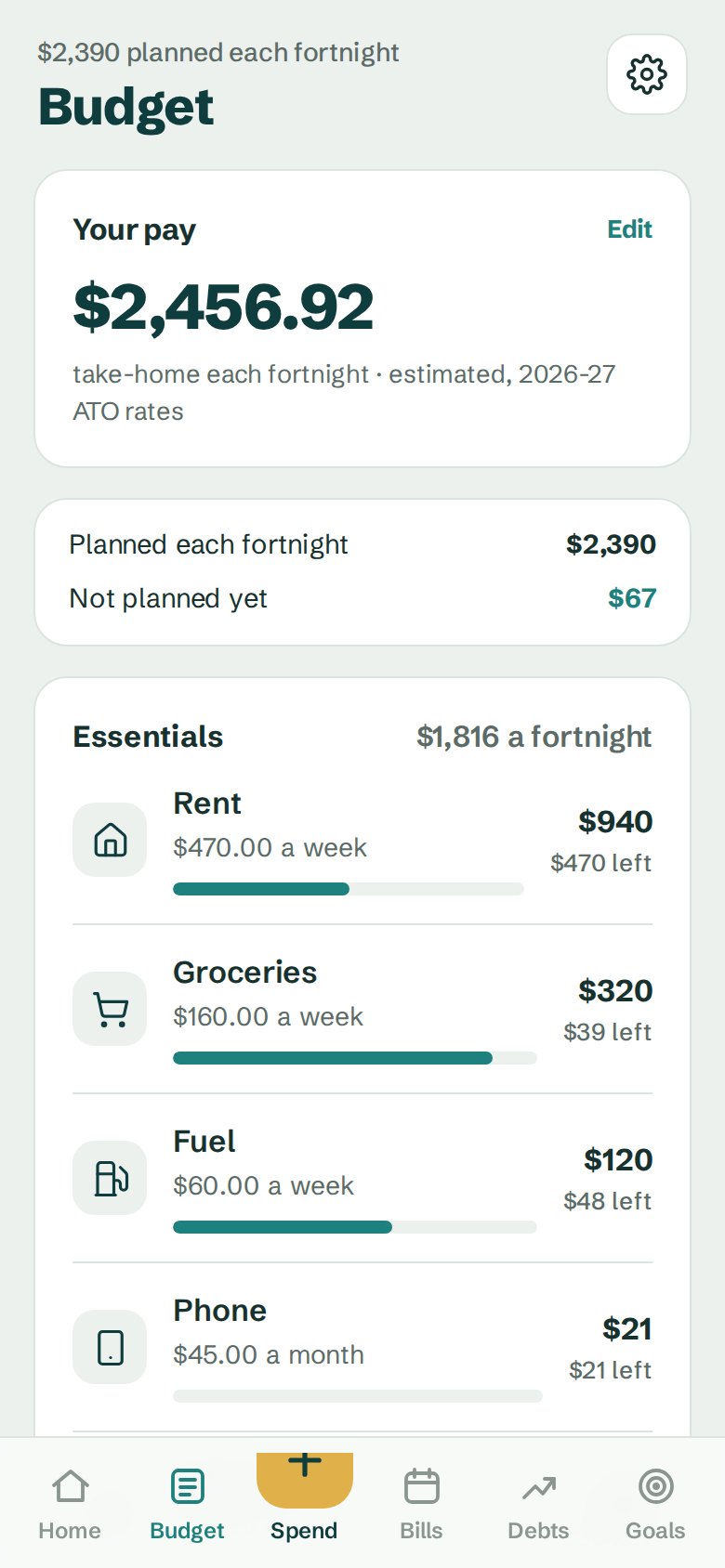
Every cost as one amount per pay
Weekly rent, monthly phone, yearly rego. Type each one how you pay it.
- Essentials, lifestyle, and savings and debt
- Spent and left in each category this pay
- A 50/30/20 check against your take-home
The big bills, saved for ahead
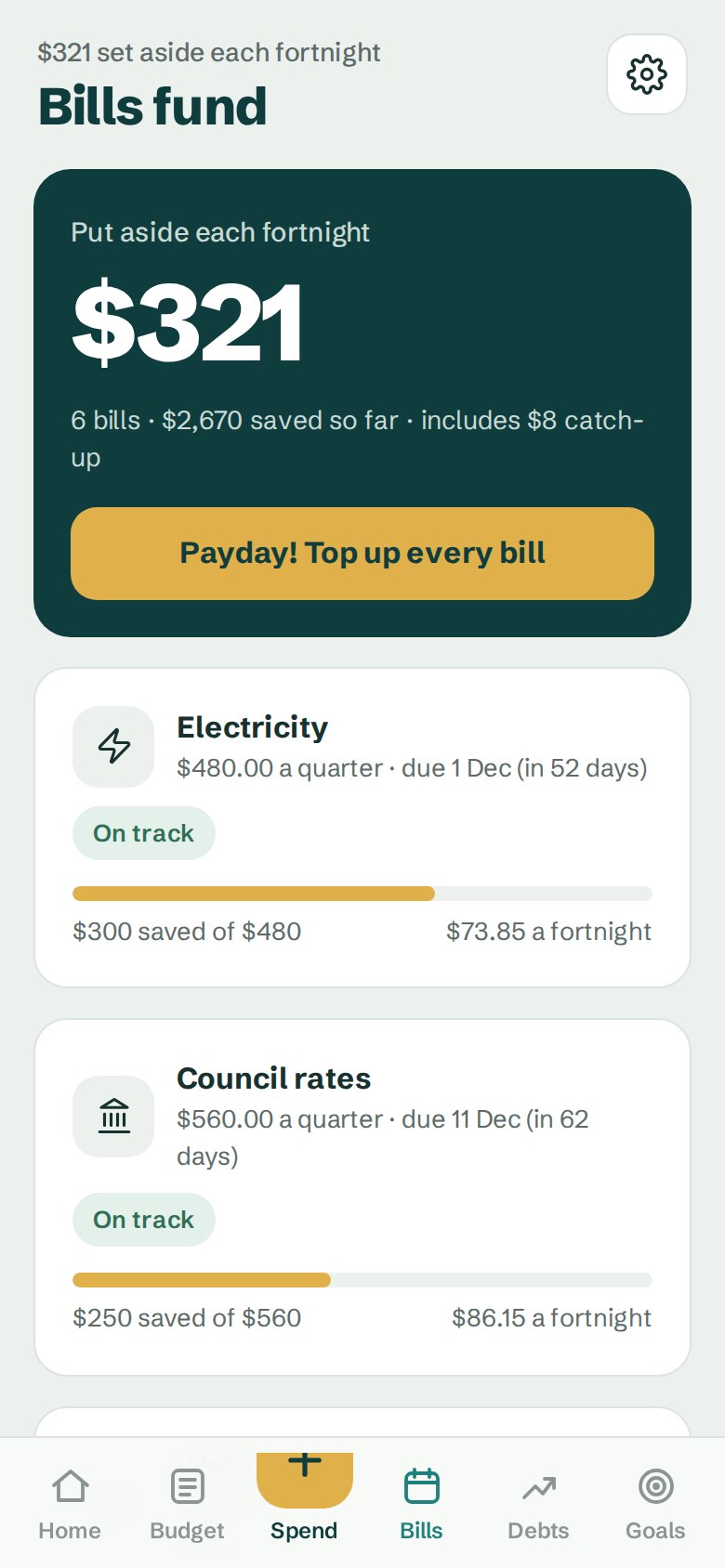
Add rego, insurance, rates and Christmas once. It counts your paydays before each due date and tells you what to put aside, then one tap on payday tops them all up.
- Shows when a bill needs a catch-up
- Quarterly power and water
- Christmas and birthdays
A date you'll be debt-free
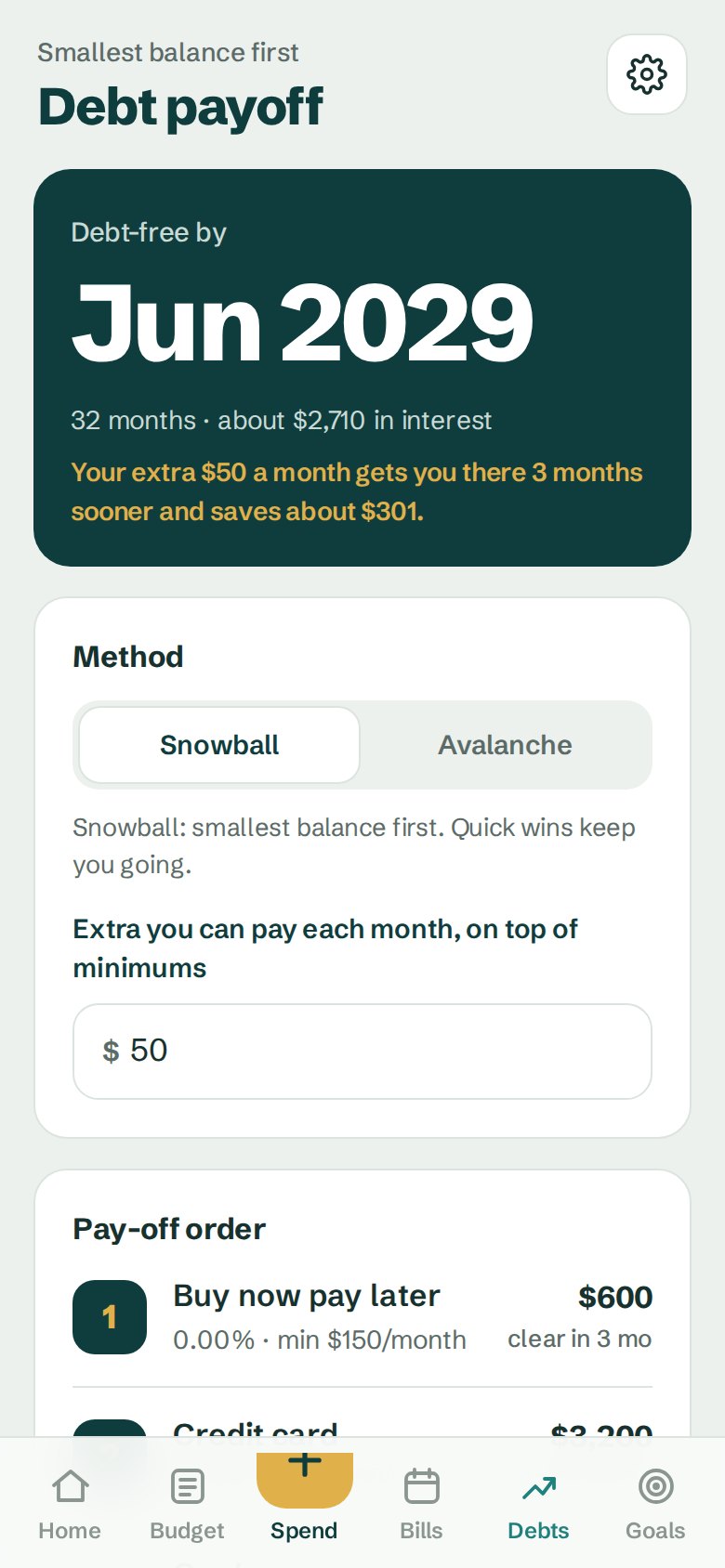
Pick smallest balance first (snowball) or highest interest first (avalanche), and see how much sooner an extra $50 a month gets you there.
- Credit cards, car loans and buy now pay later
- Pay-off order worked out for you
- Interest saved, in dollars
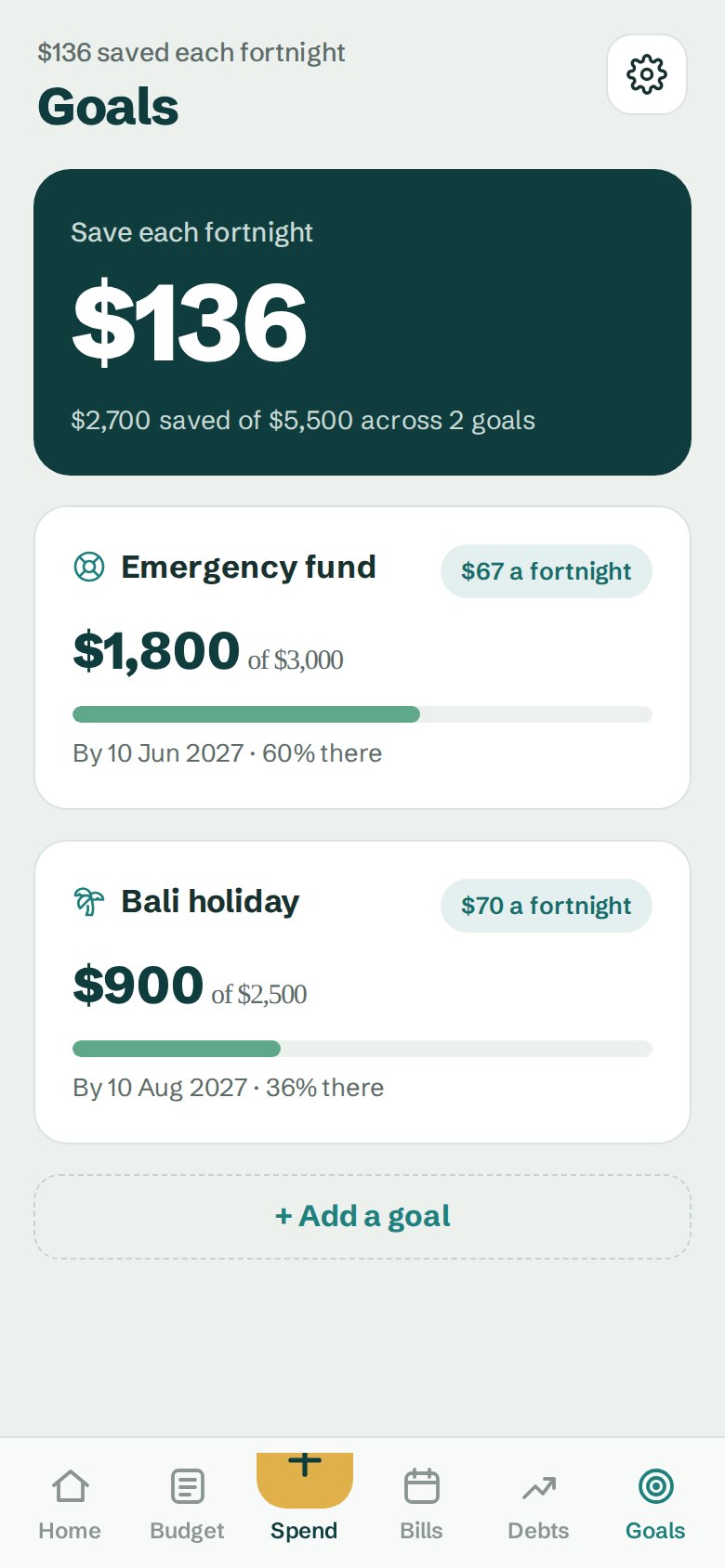
Goals with a date on them
Set a target and a date. It tells you what to save each pay to get there on time.
- Emergency fund, holiday, a car
- Progress you can see
- Add money in one tap
Who makes it
I'm Siezar. I live in Cairns with my three kids and run a local bin cleaning business.
Most budget apps are built for American pay: monthly pay cheques and no idea what rego is. I built Planaroo around the way we get paid here: weekly, fortnightly or monthly, with rent weekly and the big bills every quarter or year.
It's a small Australian business. If something's wrong or missing, email me and I'll read it.
Setting it up
Check out
Your access code comes in your order confirmation email, along with the link to the app.
Put it on your phone
Open the link and add it to your Home Screen. It opens like any other app. There's no app store, account or password.
Enter your pay
Pick weekly, fortnightly or monthly and type your salary. Start blank, or with example numbers you type over.
What you get
- Your payTake-home worked out with 2026-27 ATO rates, or type in what your payslip says.
- BudgetEvery cost as one amount per pay, with what's spent and what's left.
- Bills fundWhat to put aside for rego, insurance, rates and Christmas.
- Debt payoffSnowball or avalanche, and the month you'll be debt-free.
- GoalsWhat to save each pay to reach each goal on time.
- SpendingLog what you spend in a few taps and see what's left.
- Use it on iPhone, Android and computers
- No subscription, no account, no ads
- Your numbers stay on your phone
Budgeting with someone?
Couples$29Access for 2, with one shared budget that updates on both phones. Family$75Access for up to 5. Share one budget, or each keep your own. Already have access? Add couples sync for $10Checkout is run by Shopify. Prices in Australian dollars. Tax rates checked against ato.gov.au in October 2026.
Questions
Is it in the App Store?
No, and you don't need it to be. It's a web app: open the link on your phone and add it to your Home Screen, and it opens like any other app. No account, no password, no app store.
Do I need an account?
No. The app has no account, no password and no bank login. Checkout is run by Shopify, which may offer to save your details for a faster checkout next time. That's optional: tap "Not now".
Who makes Planaroo?
Siezar De Waal, a small business owner in Cairns, Queensland (ABN 36 318 413 406). More about Planaroo.
Does it work on iPhone and Android?
Yes, and on computers too. On iPhone, open the link in Safari and tap Share, then Add to Home Screen. On Android, open it in Chrome and tap Install. Bought inside the Facebook app? Open your link in Safari or Chrome first, because Facebook's own browser can't add apps to your Home Screen.
Where are my numbers kept?
On your phone. Nothing is sent to us. If you turn on couples or family sync, your budget is encrypted on your phone before it's shared, and only the phones you invite can read it. Because your numbers live on your phone, deleting the app or clearing your browser removes them, so the app lets you download a backup file.
Can I use it on two devices?
Each device keeps its own copy, and you can move your numbers to a new phone with the backup file. Want to run one budget together? Couples ($29, two people) and Family ($75, up to 5 people) include sync: everyone uses their own phone and the budget updates on all of them within seconds. Already have access? Add couples sync for $10.
Does it work offline?
Yes. Once it's on your phone it works without internet.
I'm paid weekly (or monthly). Does it still work?
Yes. Pick weekly, fortnightly or monthly and everything converts to your pay cycle.
Is the tax exact?
It's an estimate for budgeting, using the ATO's 2026-27 resident tax rates, the low income tax offset and the Medicare levy (with the low-income reduction for singles). It leaves out HELP repayments, the Medicare levy surcharge, salary sacrifice and deductions. If your payslip shows a different take-home, type your real figure in and the app uses that.
Can I try it first?
Yes. The demo is the full app with example numbers. It just doesn't save anything.
Is this financial advice?
No. It's a tool to help you organise your own money. For advice about your situation, talk to a licensed financial adviser.